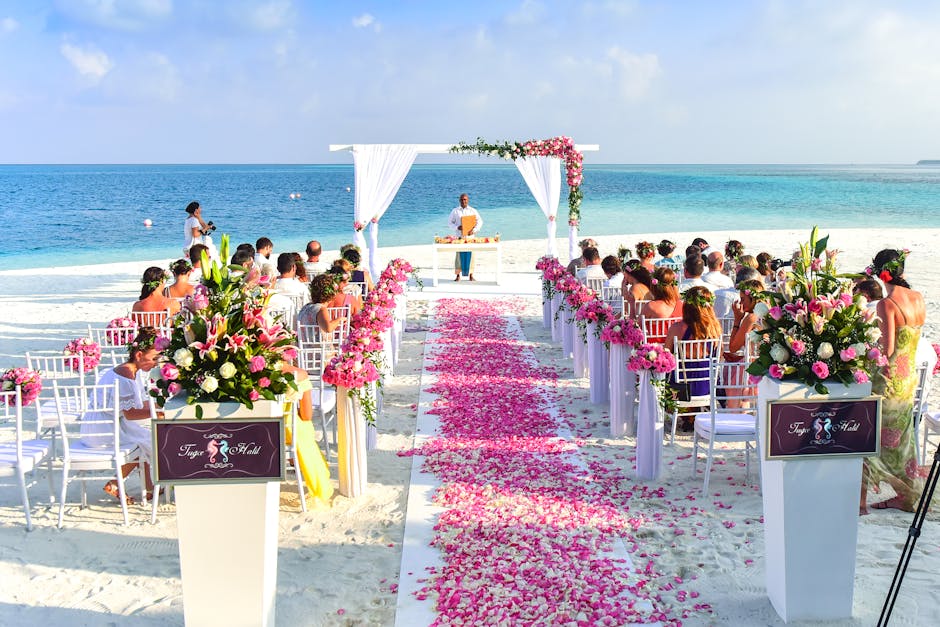
My friend sent out 80 wedding invitations last June. Beautiful letterpressed cards. A tiny line at the bottom: "Saturday, the 14th of September, 4pm, the Rosewood Barn."
The day before the wedding, her mother asked the caterer for a final headcount. The caterer asked the bride. The bride asked her phone. Half the guests had forgotten the date. A dozen had the wrong time. Three showed up at a different venue entirely.
A calendar QR code on that invitation would have saved the day.
What a Calendar QR Code Does
A calendar QR code encodes a vCalendar or iCalendar event. Scan it, and the phone offers to add the event to the calendar with the date, time, location, title, and notes already filled in. One tap. The event is on their phone, with a reminder, with the address tappable in Maps.
The payload is a small block of iCal text:
BEGIN:VEVENT SUMMARY:Sarah & Tom - Wedding DTSTART:20260914T160000 DTEND:20260914T230000 LOCATION:Rosewood Barn, 4120 Rural Route 9, Hood River, OR DESCRIPTION:Doors at 3:30pm. Dinner to follow. END:VEVENT
That's a real, standards-compliant event. Every field maps to a slot in the recipient's calendar app. No "wait, what time did she say?"
Two Formats: vCalendar vs. iCalendar
You'll see both. vCalendar (vCal) is the older format. iCalendar (iCal, .ics) is the modern standard and the one to use. Most phones handle both, but iCal is more reliably parsed, especially for recurring events and time zones.
Always include a timezone. The DTSTART above is in "floating" local time, which works if every guest is in your timezone. The moment you have out-of-town guests (you do), use a UTC offset:
DTSTART:20260914T160000-0700
Now a guest in New York sees "7:00pm" and a guest in London sees "midnight." Their calendar handles the conversion. Without the offset, a phone might assume its own timezone and show the wrong time. This is the single most common bug in calendar QR codes.
Where This Actually Helps
Weddings are the romantic example. The practical ones are bigger.
Fitness studios. A yoga studio prints a calendar QR code on its schedule poster. A student scans, taps, the class is on their phone with a reminder 30 minutes before. No-show rates drop.
Consultants and therapists. A booking confirmation email includes a calendar QR code. The client adds the appointment to their phone in the waiting room. The therapist stops getting "I forgot" cancellations.
Conferences and classes. A printed schedule at the door has a QR code per session. Attendees tap to add the talks they want. Their phone buzzes five minutes before each one starts.
Real estate open houses. The flyer has a code. The buyer adds the viewing to their calendar while standing in the kitchen. The agent gets a follow-up call instead of a no-show.
Recurring Events and the QR Trap
iCal supports recurring events: every Tuesday, the first Monday of the month, daily for two weeks. You can encode these in a calendar QR code. But there's a trap.
Some Android calendar apps ignore the recurrence rules from a scanned iCal and add only the first instance. The guest shows up the first week and never again, wondering why nobody else came back. Test recurring codes on both platforms before you distribute them. If an Android phone drops the recurrence, fall back to a hosted .ics link in the QR code instead of embedding the event directly, which most calendar apps handle more completely.
Our QR code generator supports both embedded events and linked .ics files. For anything more complex than a single event, link.
Time Zones, Again, Because It Matters
I'm going to say this twice because it's the bug I see most.
A webinar at "2pm Eastern" encoded as DTSTART:20260923T140000 (no offset) shows up as 2pm for a guest in Los Angeles. They log in three hours late. The recording is fine. The live Q&A is over.
Encode it as DTSTART:20260923T140000-0400. Now the LA guest sees 11am and the London guest sees 6pm. Everyone joins at the same actual moment. The two seconds it takes to add the offset saves you the most embarrassing email of the week.
Size and Scanning for Event Codes
A calendar QR code on a printed invitation is usually small, tucked in a corner. The iCal payload is bigger than a short URL, so the code is denser. Two rules keep it scannable.
Print at least 1.2 inches (30mm) for a lean single event. Bigger if you've added a long description or address. Use error correction level M at minimum, H if the card will be handled or mailed (envelopes scuff codes). For the full sizing logic, see our error correction and sizing guide.
Privacy: Public Codes Mean Public Events
A calendar QR code on a wedding invitation is a public object. The invitation sits on a fridge, gets photographed, gets forwarded. So encode only what you'd put on the printed card itself: the date, time, venue address, and a description that's safe for a stranger to read.
Don't put the bride's personal cell in the description. Don't put the exact gate code to the venue. Don't put a private Zoom link in a code that will be scanned by 80 households. If you need a private detail, send it separately to confirmed guests.
The Five-Minute Version
Open the generator. Pick event. Fill in title, start, end, location, description. Add the timezone offset. Download. Print. Or email. Or post.
Your guests will show up at the right time, at the right place, with a reminder. That's the whole job of an invitation.


